We Built Our Own Ops Platform Instead of Buying One — Here's What We Learned
We track 22 client projects, a distributed team of developers, and revenue share across multiple currencies using a custom tool we built ourselves. Here's why we built it, what's inside, and what it taught us about AI in the real world.
Paul Eident
Founder, Aslan Interactive
There's a version of this post where I tell you about a client who had a spreadsheet problem.
This isn't that version.
This one's about us.
At Aslan Interactive, we manage ongoing work for a rotating portfolio of clients, a distributed development team, Jira tickets, Harvest time entries, QuickBooks invoices, and developer compensation tracked in multiple currencies. For years, we made it work with a mix of spreadsheets, manual calculations, and tribal knowledge.
Then we stopped pretending that was fine and built something better.
This is the story of that tool, what it does, why we built it instead of buying it, and what it taught us about what "AI for operations" actually looks like when it's not a demo.
⸻
The Problem We Were Actually Solving
Running a web development agency sounds like it should be simple to track. It's not.
Here's what our operations actually looked like:
- Project scope lived in Jira. Time lived in Harvest. Revenue lived in QuickBooks. Nothing talked to anything else.
- Developer compensation for our distributed team is tracked across time zones and currencies. Exchange rates change monthly. Someone (me) was manually reconciling that in a spreadsheet.
- Revenue share for our performance-based comp model required knowing project value, estimates, and fixed-bid margins across every active engagement.
- Proposals and estimates existed in Google Docs, disconnected from any project tracking.
The result: decisions that should have been instant took hours. Payroll involved a lot of careful copy-pasting. Reporting was a fire drill.
Sound familiar?
⸻
Why We Built Instead of Bought
We looked at the usual suspects: ClickUp, Monday.com, FreshBooks add-ons, Harvest integrations. None of them handled our actual workflow.
The problem isn't that those tools are bad. It's that our process doesn't fit inside any one of them. We needed:
- Jira as the source of truth for client work
- Harvest as the source of truth for time
- QuickBooks as the source of truth for billing
- And something to sit above all three and make sense of the data
No off-the-shelf tool does that exactly. They each have integrations, but they don't give you a unified view of the operations layer, the place where project status, developer output, client revenue, and compensation all connect.
So we built one.
⸻
What the CPT Actually Does
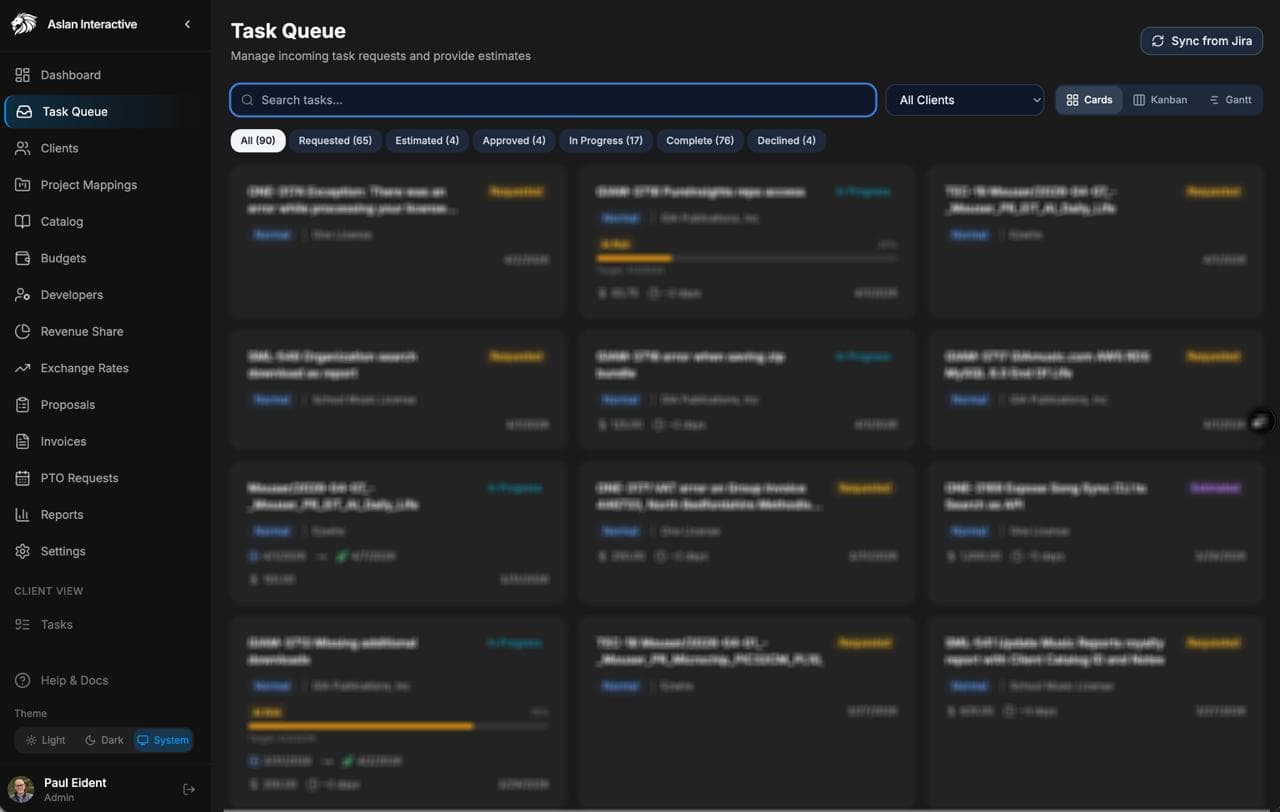
We call it the Client Project Tracker (CPT). It's a Next.js application backed by a Neon PostgreSQL database, deployed on Vercel.
Here's what lives inside it:
Project and Client Management
Every active project is tracked with scope, status, and linked Jira project keys. All of our work is scoped and delivered on a value-based, fixed-bid model, so the CPT tracks estimates, approved scope, and actual delivery against each proposal. The CPT pulls current ticket data from Jira via API, so we always know where things stand without opening a second tab.
Harvest Integration
Time entries sync from Harvest automatically. We can see hours logged per project, per developer, per billing period and flag anything that looks off before it hits a client update.
QuickBooks Integration
Invoices are linked to projects. We can see what's been billed, what's outstanding, and what's coming up, all in one place.
Developer Compensation
This is where it gets interesting. Our developers are distributed across time zones and compensated in multiple currencies. The CPT tracks monthly exchange rates, calculates equivalents automatically, and surfaces the data we need for payroll without any manual reconciliation.
PTO Tracking
PTO requests flow through the CPT, get approved there, and feed into compensation calculations. No more email chains.
Proposals
Scoped proposals live inside the CPT alongside the projects they eventually become. We can see estimate vs. actual at any point in a project lifecycle.
⸻
Where AI Comes In (and What "AI for Operations" Actually Means)
Here's the honest version: we didn't start building the CPT with AI in mind. We built it because we had a data problem.
But as the system matured, we started adding intelligence to the operations layer, and that's where things got interesting.
A few examples:
Exchange rate logic. Instead of manually looking up exchange rates, the CPT pulls current rates on a schedule and flags when compensation thresholds are affected. It's not glamorous. It's also not something any off-the-shelf tool does.
Anomaly surfacing. When time entries look unusual, a developer logging hours to a project that's been marked complete, or a billing discrepancy between Harvest and QuickBooks, the system flags it. A human still makes the call, but the system does the noticing.
Automated Jira-to-portal sync. New issues assigned from our internal system to our development team get automatically created in our client portal with estimates applied. What used to take 10-15 minutes of manual work per ticket now takes zero.
None of this is a chatbot. None of it is a demo. It's automation applied to the specific, unglamorous places where our operation was leaking time.
That's what AI for operations actually looks like.
⸻
What We Learned
1. The most valuable layer is the one between your tools.
Every business already has systems: a CRM, a project tracker, a billing tool. The gap isn't in those systems. It's in the connective tissue between them. That's where a custom operations layer pays off.
2. Generic software optimizes for the average use case. You are not the average use case.
We spent years trying to make Harvest and QuickBooks and Jira "work together." They do, loosely. A custom layer gives you exactly the view you need, not the view the software vendor thought you might need.
3. Building it yourself creates compounding returns.
Every time we add a feature, a new integration, a new compensation model, a new reporting view, it pays off immediately and keeps paying off. We own the tool. It evolves with us.
4. AI doesn't replace judgment. It surfaces information faster.
The CPT doesn't make decisions. It makes the right information available at the right moment so decisions are faster and better-informed. That's the right frame for AI in operations: not replacement, but amplification.
⸻
What This Means for You
We built the CPT for ourselves. But the underlying pattern, a custom operations layer that sits above your existing tools, automates the repetitive connective work, and surfaces the data you actually need, applies to almost any service business.
If you're managing:
- A distributed team with complex compensation
- Multiple client projects with fixed-bid or value-based pricing
- Revenue or margin tracking that requires pulling from 3+ systems
- Any workflow where humans are the glue between tools
...then you probably have the same kind of gap we had.
The solution doesn't have to be as complex as the CPT. Sometimes it's a lightweight integration and a dashboard. Sometimes it's a structured database replacing a spreadsheet. Sometimes it's more.
The question to ask isn't "What tool should we buy?"
It's "What does our operations layer actually need to do?"
⸻
If you're building something like this, or wondering whether you should be, let's talk. We've done it for ourselves. We know exactly where the hard parts are.
Written by
Paul Eident